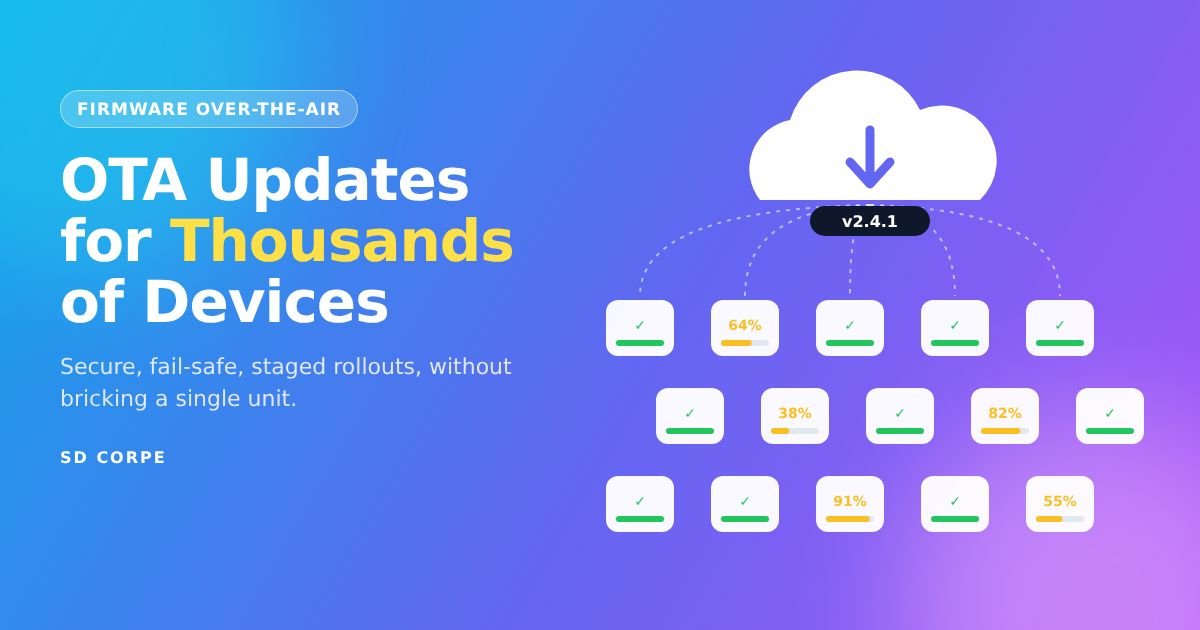
Shipping an IoT device without a solid over-the-air (OTA) update system is like launching an app you can never patch. Every bug, security vulnerability or missing feature becomes permanent, or worse, it means a costly product recall or a technician visiting every site.
But OTA done badly is just as dangerous. One faulty update pushed to your entire fleet can "brick" thousands of devices overnight. In this guide we explain how professional teams design OTA firmware updates that are secure, fail-safe and scalable, so you can update thousands (or millions) of devices with confidence.
What is an OTA firmware update?
An OTA (over-the-air) update delivers new firmware to a device remotely, over Wi-Fi, cellular, LoRaWAN, Bluetooth or another connection, without anyone touching the hardware. A complete OTA system has three parts:
- On the device: a secure bootloader, memory layout for storing new images, and update logic in the firmware.
- In the cloud: a server or platform that stores firmware versions, targets device groups and tracks progress.
- In between: a secure, reliable transport that can handle interruptions and poor connectivity.
Why OTA updates matter more than ever
- Security: new vulnerabilities are discovered constantly. Without OTA, they can never be fixed in the field.
- Regulation: laws such as the EU Cyber Resilience Act and the UK's PSTI regime are making security updates and clear support periods an expectation for connected products.
- Lower support costs: fix bugs remotely instead of shipping replacements or sending engineers.
- New revenue: add features after launch, unlock premium functions and extend product life.
- Faster launch: ship a solid version 1, then improve it continuously.
Fail-safe update architecture: A/B partitions
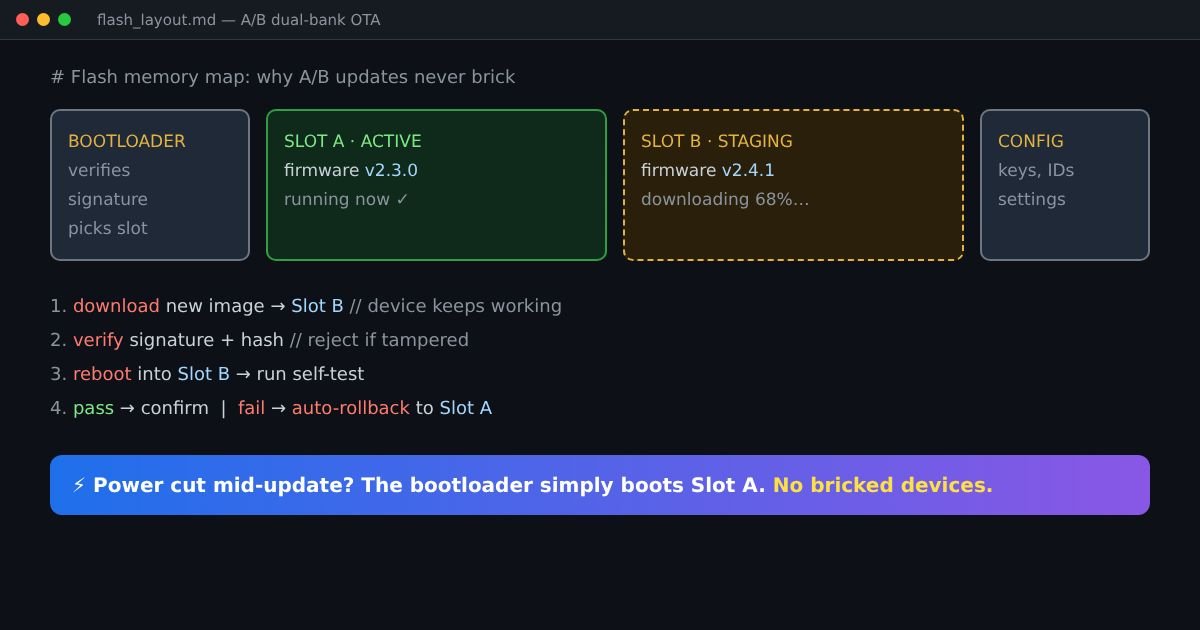
The single most important design decision is how the device stores and switches firmware. The industry best practice is a dual-bank, or "A/B", layout:
- The device runs firmware from Slot A while downloading the new version into Slot B, so normal operation continues.
- Once downloaded, the image's signature and hash are verified. Anything tampered with or corrupted is rejected.
- The device reboots into Slot B and runs a self-test: does it boot, connect to the network and read its sensors?
- If everything works, the new version is confirmed. If not, the bootloader automatically rolls back to Slot A.
Because a known-good version is always available, a power cut or bad image mid-update can't brick the device. Open-source bootloaders like MCUboot, and platform features such as ESP-IDF's OTA support, make this pattern much easier to implement.
On devices with very limited flash, alternatives include a small recovery image or external flash for staging. The goal is always the same: never overwrite the only working firmware.
Security: protecting the update pipeline
An OTA system is a powerful way to control your devices, which makes it a prime target for attackers. Build security in from day one:
- Code signing: sign every firmware image with a private key kept in a secure system (ideally an HSM). Devices only accept images with a valid signature.
- Secure boot: the device verifies the firmware on every boot, not just during updates, using a hardware root of trust.
- Encrypted transport: deliver updates over TLS, and encrypt the image itself if it contains sensitive intellectual property.
- Anti-rollback protection: stop attackers from installing an older, vulnerable version.
- Device authentication: unique credentials or certificates per device, so only genuine devices receive updates.
- Least privilege: tightly control who in your team can approve and release firmware.
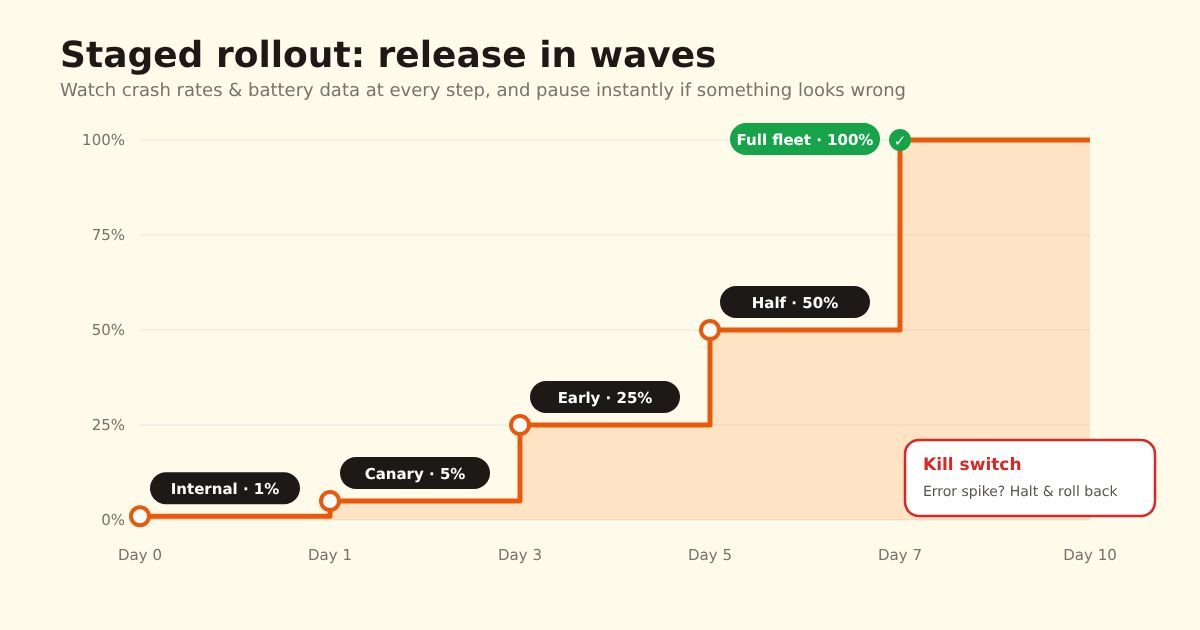
Rolling out safely to thousands of devices
Even a well-tested update can behave differently in the field. That's why experienced teams never update every device at once. Instead, they use staged rollouts:
- Internal devices (around 1%): your own test fleet and team devices.
- Canary group (around 5%): a small, representative slice of real devices.
- Early wave (around 25%), then half the fleet: expand while monitoring closely.
- Full fleet (100%): only once the metrics look healthy.
At every stage, monitor crash and reboot rates, connectivity, battery drain and key sensor readings. A kill switch lets you pause the rollout instantly, and devices can roll back automatically if health checks fail.
Smart targeting
- Group devices by hardware revision, region, customer or firmware version.
- Schedule updates for quiet hours to avoid disrupting users or operations.
- Respect local conditions: skip devices with low batteries or weak signal, and retry later.
Making updates efficient
For battery-powered and cellular devices, every byte counts:
- Delta (differential) updates: send only the changes between versions instead of the whole image, often dramatically reducing download size.
- Resumable downloads: continue from where the transfer stopped after a dropped connection.
- Compression: shrink images before sending them.
- Modular firmware: update just the application or a single component when possible.
- Pre-checks: make sure the battery level and free storage are sufficient before starting.
For low-bandwidth networks such as LoRaWAN, special techniques like multicast and fragmented data blocks are needed. See our guide on choosing IoT connectivity.
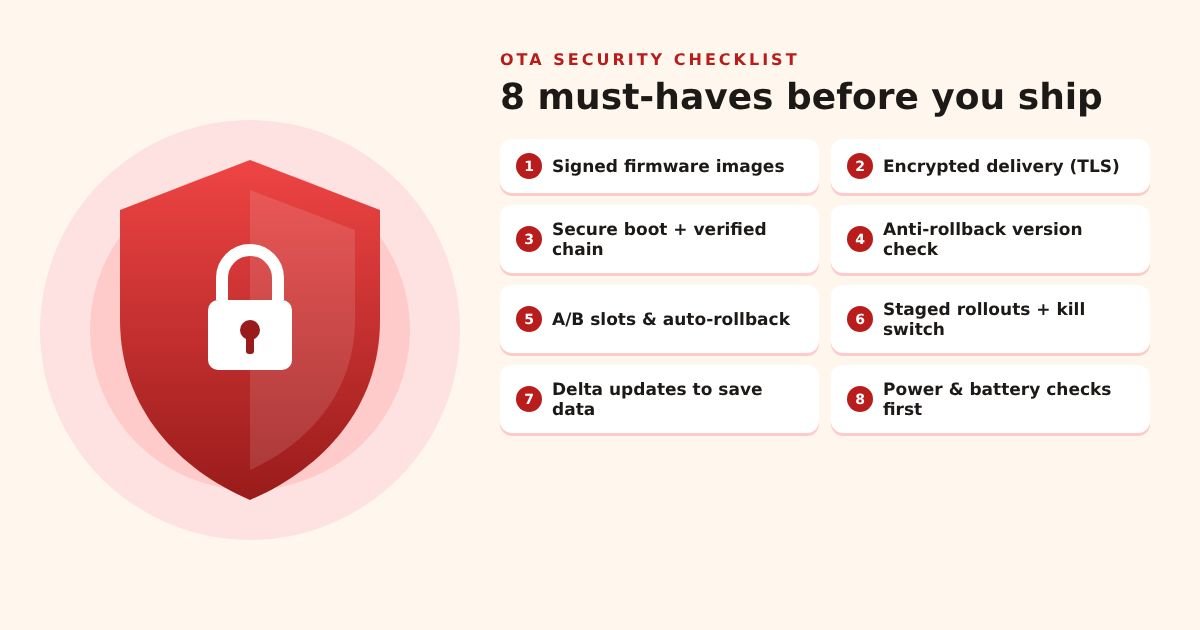
Your OTA readiness checklist
- Signed firmware images and a protected signing process
- Encrypted delivery over TLS
- Secure boot with a verified chain of trust
- Anti-rollback version checks
- A/B slots (or equivalent) with automatic rollback
- Staged rollouts with monitoring and a kill switch
- Delta or compressed updates to save data and power
- Battery, power and storage checks before updating
Build vs buy: choosing an OTA platform
You don't always need to build everything from scratch. Options include:
- Cloud IoT services from major providers, which include device management and update jobs.
- Specialised device-management and OTA platforms that add rollout control, monitoring and crash analytics.
- A custom OTA backend integrated into your own IoT platform, for full control and no per-device platform fees.
The right choice depends on your fleet size, connectivity, budget and how much control you need. In all cases, the device-side design (bootloader, memory layout, security) must be right from the very first hardware revision. It's hard to add later.
Common OTA mistakes to avoid
- Leaving OTA until after launch, when the flash layout can no longer support it
- Updating every device at once with no rollout control
- No automatic rollback when a new version fails
- Shipping with unsigned images or debug keys
- Ignoring update size on cellular data plans and batteries
- Not testing updates across all hardware revisions in the field
Planning OTA from the start is part of a strong product process. See the 7 stages of IoT product development.
Frequently asked questions
What happens if power is lost during an OTA update?
With an A/B design, nothing bad: the device still has the previous working firmware and simply boots from it. The update can be retried later.
How do I stop hackers from installing malicious firmware?
Sign every image with a private key, verify the signature on the device before installing, use secure boot, encrypt the transport and protect your signing keys carefully.
Can OTA updates work on battery-powered devices?
Yes. Use delta updates, compression and resumable downloads, check the battery level before starting, and schedule updates when the device is awake or charging.
Can I add OTA to devices already in the field?
Only if they were designed with a compatible bootloader and enough memory. That's why OTA should be planned during the first hardware design.
How long should we provide updates?
Many regulations and customers now expect a clearly stated security support period, often several years. Plan your OTA infrastructure and team for the full life of the product.
Build a secure OTA system with SD Corpe
At SD Corpe, we design secure bootloaders, A/B firmware architectures and cloud OTA platforms for IoT products worldwide, on ESP32, STM32, Nordic and more. We help you update your fleet safely, from the first ten devices to hundreds of thousands.
Planning a connected product, or worried about updating devices already in the field? Book a free consultation with our embedded team today.